Perfect Cam Manual for Apteryx XV Web
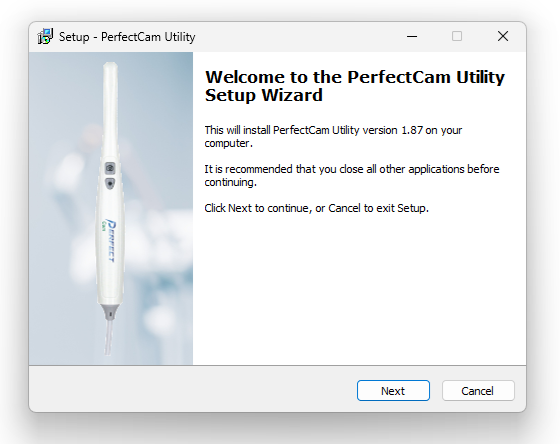
1. Install the PerfectCam Utility software. If you need a link for the download, it is:
https://iocsnapshot.com/PerfectCamSetup.exe
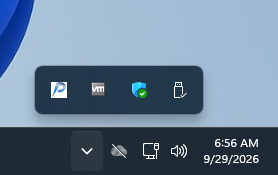
2. After the installation, you will see the PerfectCam icon in your system tray. Right-click it and select Apteryx

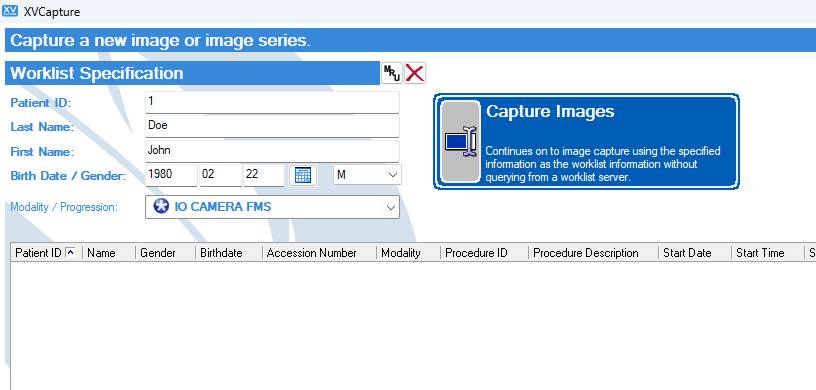
3. When inside XV Capture, select a patient and change the Modality to IO CAMERA FMS. Click on Capture Images.
4. Double Click on DirectVideo Digital Capture
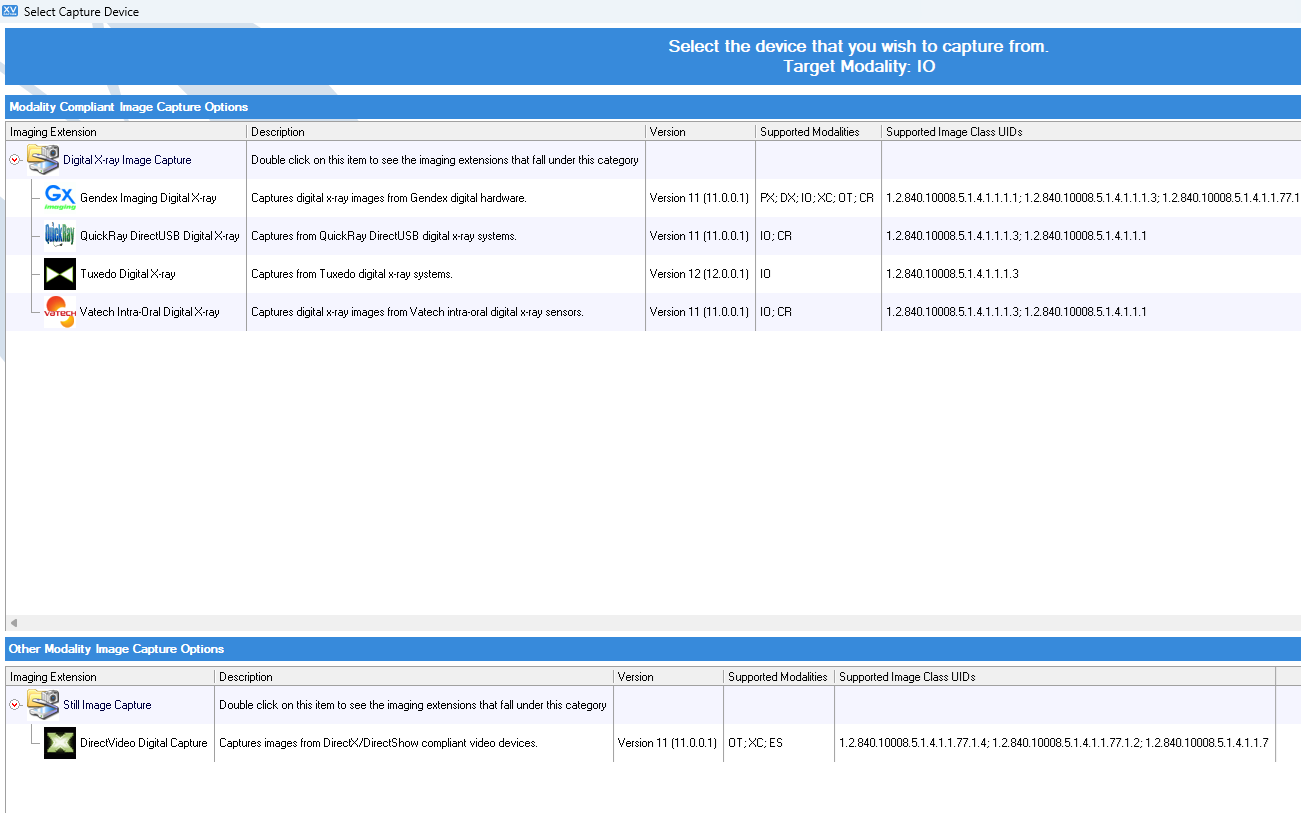
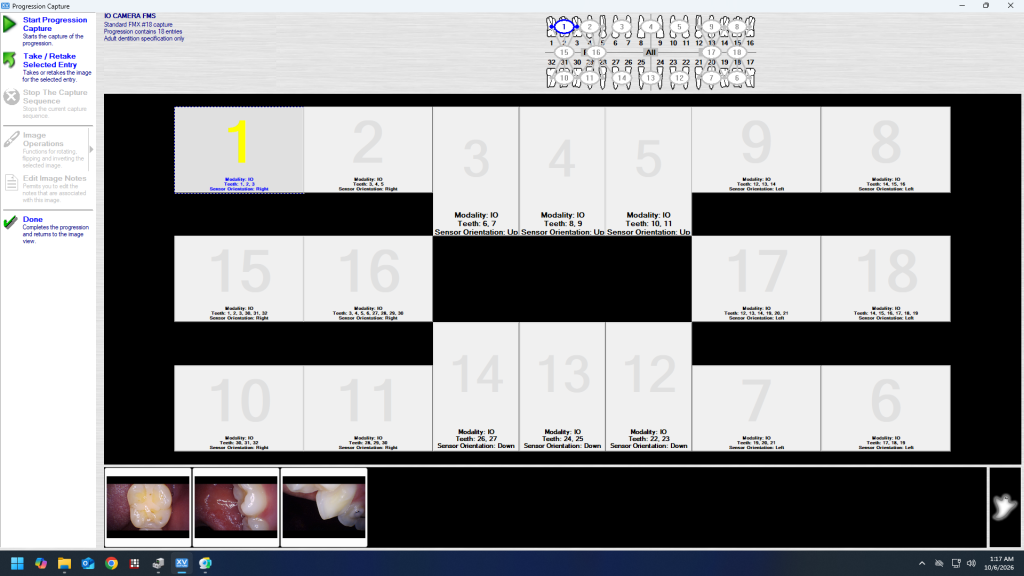
5. Click on Start Progression Capture button.
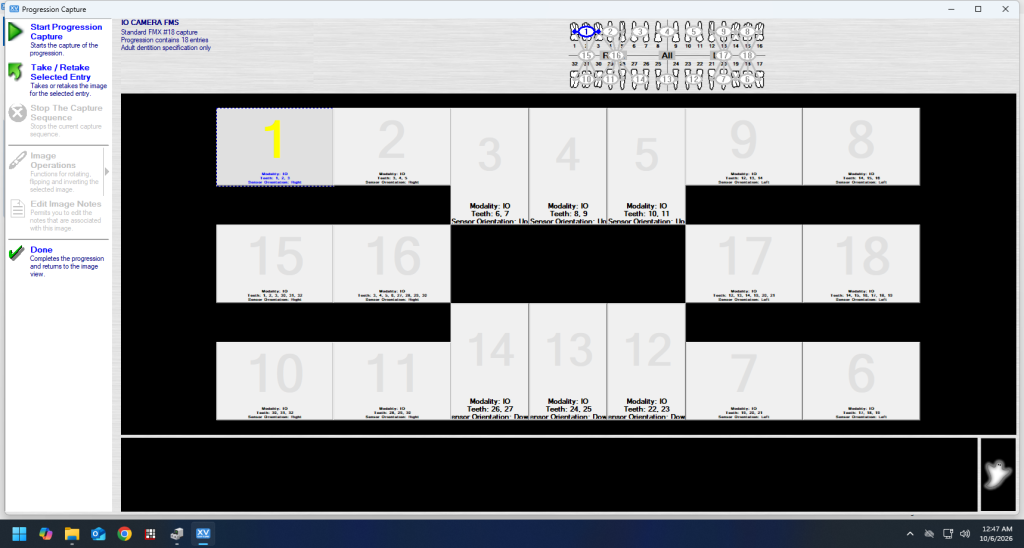
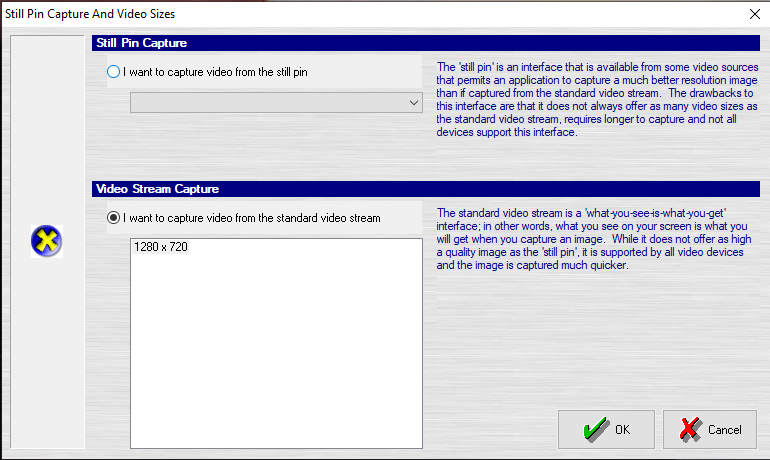
6. Under Video Devices, select PERFECT CAM. Go to Video Options and Still Pin and other Video Sizes. Be sure 1280×720 is selected under Video Stream Capture.
7. Now, use the camera’s capture button to acquire images. When finished, click Done.
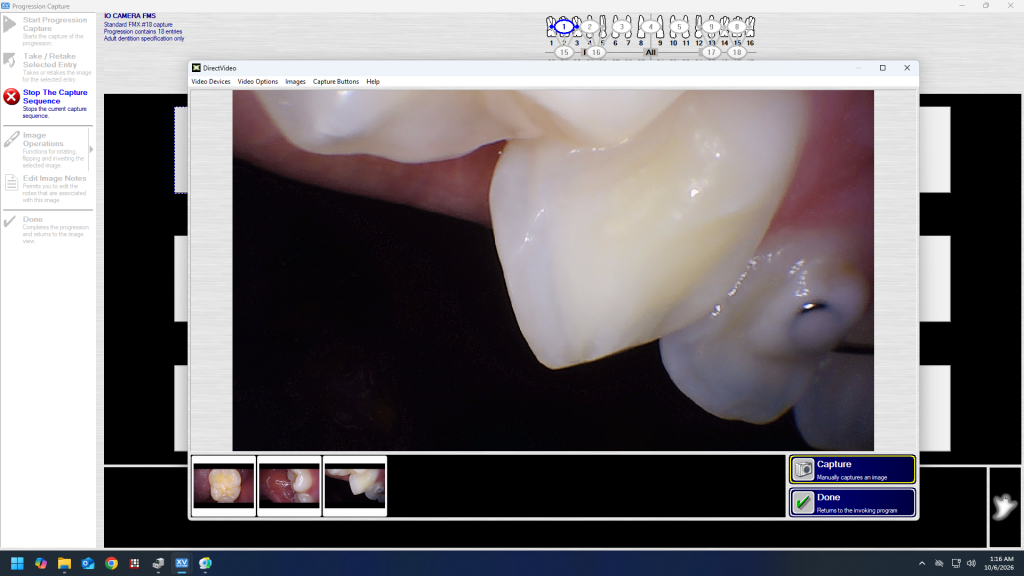
8. Drag the capture images to the appropriate tooth numbers in the FMS mount and click Done.